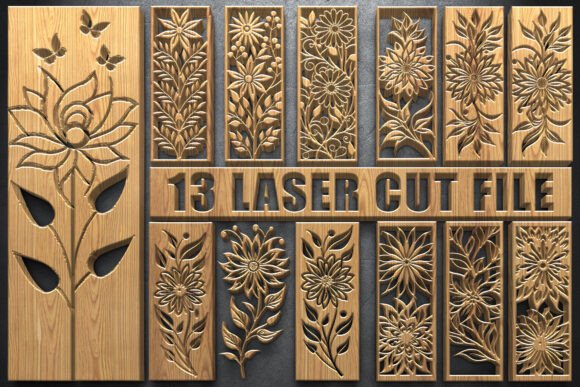
Floral Panels SVG Bundle: Essential Laser Cut & Craft Assets
Understanding the Structure: Beyond Basic Design Assets
When you invest in a design asset, the true value lies in its versatility and technical precision. The Floral Panels SVG Bundle is not just a collection of pretty pictures; it is a comprehensive toolkit engineered for high-end production. The bundle centers around a massive artboard size of 3600×5400 px. In the world of digital design and manufacturing, resolution is king. Whether you are scaling these intricate botanical patterns down for a delicate wedding invitation or blowing them up for a full-sized room divider, the vector integrity remains absolute.
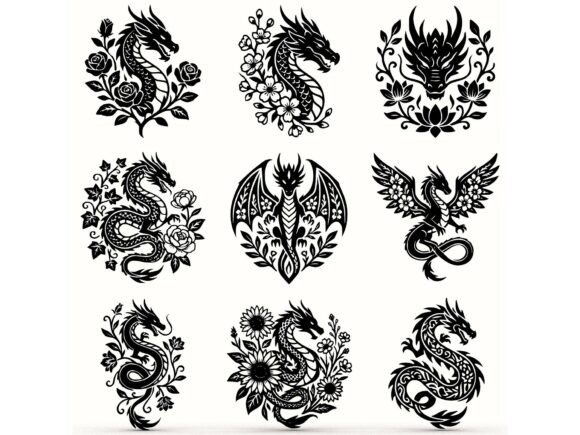
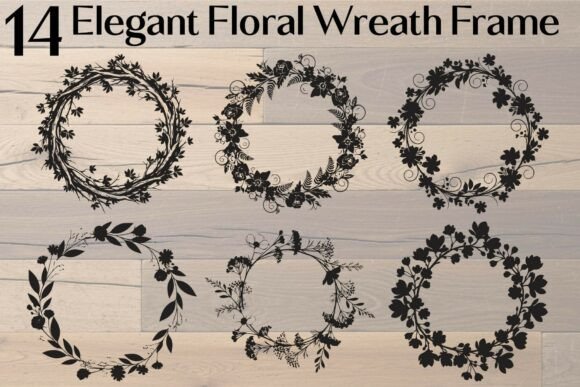
The package includes 13 distinct floral designs, each provided in six critical file formats: AI, EPS, SVG, PNG, JPG, and PDF. This is where the bundle separates itself from standard design assets. The inclusion of SVG (Scalable Vector Graphics) files is particularly vital for anyone using cutting machines like Cricut or Silhouette. These files contain the clean path data required for blades to trace intricate floral curves without stuttering or creating jagged edges. For designers using Adobe Illustrator, the native AI files allow for total control over anchor points, letting you modify the complexity of the vines or the density of the leaves to suit your specific brand identity.
Practical Applications: From Laser Cutting to Branding
The utility of the Floral Panels SVG Bundle extends far beyond the screen. The defining characteristic of these designs is their "panel" structure—interconnected, flowing lines that support structural integrity. This makes them perfect for laser cutting. Imagine transforming these vectors into physical wooden signs for a rustic wedding, or cutting them from acrylic to create modern, geometric home decor. Because the designs are symmetrical and balanced, they function exceptionally well as decorative screens or room dividers. The negative space within the patterns is just as important as the lines themselves, allowing light to pass through while maintaining privacy.
However, the application isn't limited to heavy machinery. If you are a small business owner or a marketer, consider how these intricate florals can elevate your print media. Used as a background texture for packaging design, the high-resolution PNGs (which come with transparent backgrounds) add a layer of sophistication that standard clipart cannot match. They work beautifully for:
- Editorial Design: Use them as full-bleed overlays on magazine covers or lookbooks to create depth.
- Greeting Cards: The intricate details make for stunning stationery and invitations.
- Scrapbooking: The transparent PNGs allow for easy layering over photos.
- Digital Assets: Incorporate them into website headers or social media graphics to add a touch of organic elegance.
Design Strategy and File Management
Having access to premium files is one thing; knowing how to implement them effectively is another. When working with the Floral Panels SVG Bundle, your workflow will vary depending on your end goal. For digital use, such as web design or social media graphics, the JPG files offer high resolution suitable for most screens. However, for logo design or brand identity work, you should strictly use the vector formats (AI, EPS, or SVG). Vectors ensure that your floral elements remain crisp whether they are printed on a business card or a billboard.
One of the most overlooked aspects of using complex design assets is visual hierarchy. Because these floral panels are detailed and visually dense, they act as a strong focal point. If you are pairing them with text, you need to ensure your typography complements rather than competes. Avoid using overly ornate script fonts or handwritten fonts for body copy, as this will result in a cluttered look. Instead, opt for a clean sans serif font or a simple serif font for readability. The floral art should frame your message, not bury it.
Furthermore, the included PDF files are optimized for print, ensuring color fidelity. However, always check your color profiles (CMYK vs. RGB) before sending files to a printer. The ability to edit these vectors in Illustrator means you can also re-color the designs to match specific seasonal palettes or client briefs, making this bundle a long-term asset rather than a one-time use item. Whether you are a crafter making gifts or a publisher designing a book cover, this bundle provides the technical foundation and creative freedom needed for professional-grade results.